LOCAL RUNTIME ONLINE·MAC + IPHONE / IPAD

The coding agent that stays close to the code.

A native Apple Silicon workspace for local models, safe edits, builds, simulators, browsers, and the whole agent loop — with your Mac in your pocket when you need it.
Apple Silicon · macOS 15+ · Apple notarized · Sparkle updates · open source
Vamp Assistant Mac app showing the workspace sidebar, chat area, composer, model status, browser and simulator controls
agent state:ready to work
local inferencepermission-gated toolscontext intelligencebuild + verifyremote controllocal inferencepermission-gated toolscontext intelligencebuild + verifyremote control
01 / Capability map

One assistant.
Every surface.

Vamp Assistant brings chats, bots, browser and Mac control into one native app, with Code available whenever a project needs it.

Runtime
Core AIApple’s native on-device intelligence path, available alongside the local engines.native
In-process MLXMetal-native local inference with memory and thermal awareness.local
Embedded GGUFllama.cpp with prompt-prefix caching and context admission.local
BYOK providersOpenAI, Anthropic, Gemini, DeepSeek, OpenRouter, and custom endpoints.api
VisionDescribe screenshots and images with vision-capable providers.vision
Workspace
Repository intelligenceTask-ranked context, symbol summaries, memory, and impact signals.context
Agent toolsFiles, shell, git checkpoints, browser, simulator, MCP, and nested tasks.gated
Build to deviceBuild, diagnose, sign, install, launch, screenshot, and inspect.apple
Remote sessionsContinue chats, approve actions, and control the Mac from iPhone or iPad.remote
02 / Agent loop

Prompt to proof,
with guardrails.

The agent can move quickly without becoming a black box. Each meaningful step is visible, permission-aware, and verifiable.

01 / UNDERSTAND

Compile the context

Workspace structure, task-ranked files, memory, and instructions are fitted to the live model budget.

02 / PROPOSE

Plan the work

Ask for a plan, inspect the exact tool surface, and keep the conversation focused on the task.

03 / ACT

Approve mutations

Edits, commands, browser actions, and simulator controls pass through explicit approval gates.

04 / VERIFY

Prove the result

Builds, tests, diagnostics, or a clean diff run before the agent is allowed to call the task complete.

01⌁

Real workspace intelligence

Bounded indexing, symbols, git state, impact analysis, and durable facts keep the model grounded in the repository.

02✓

Undoable by default

Checkpoints, sanitized commands, canonical path confinement, and encrypted session history make changes reviewable.

03↗

Built for Apple work

Drive Xcode builds, iOS Simulator, browser checks, device installs, signing, and App Store Connect from one loop.

03 / Vamp Assistant for iOS

Your Mac.
In your pocket.

Pair once from the native iPhone or iPad app. Continue a session, send the next instruction, approve a tool call, or take over the Mac directly.
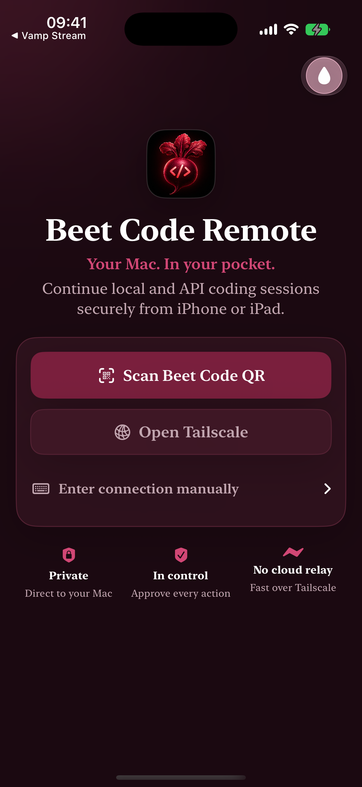
  • Live session responses
  • Approvals + questions
  • Live Mac screen
  • Trackpad + pointer input
  • Keyboard input
  • Remote terminal
  • Audio streaming
  • LAN + Tailscale pairing
Download the iOS IPA ↗
Vamp Assistant Remote iOS pairing screen with QR pairing, Tailscale, and direct-to-Mac messaging
PAIR FROM IPHONEprivate · direct to Mac
04 / Work surfaces

Code, see, ship.

Keep the supporting surfaces beside the conversation so the agent can observe, act, and verify without losing the thread.

Local first

Your models, your memory, your machine.

Use Core AI, MLX, or GGUF directly on Apple Silicon, or switch to an API provider when the task calls for it. Memory admission, thermal state, KV cache, and context budget stay visible.

  • Core AI
  • MLX / Metal
  • GGUF / llama.cpp
  • Prompt caching
  • BYOK routing
  • Memory governor
  • Reasoning toggle
$beetcode model status
✓Core AI · local · ready
# no silent cloud fallback
Build + verify

From edit to installed app.

Use the same agent loop to build an Apple project, read structured diagnostics, install to a simulator or connected device, and inspect the result.

Simulatorboot · tap · type · screenshot
Browserobserve · act · verify
Ship Centersign · export · install
Diagnosticsgrouped errors · breadcrumbs
05 / Vamp Assistant Remote

The Mac,
in your hand.

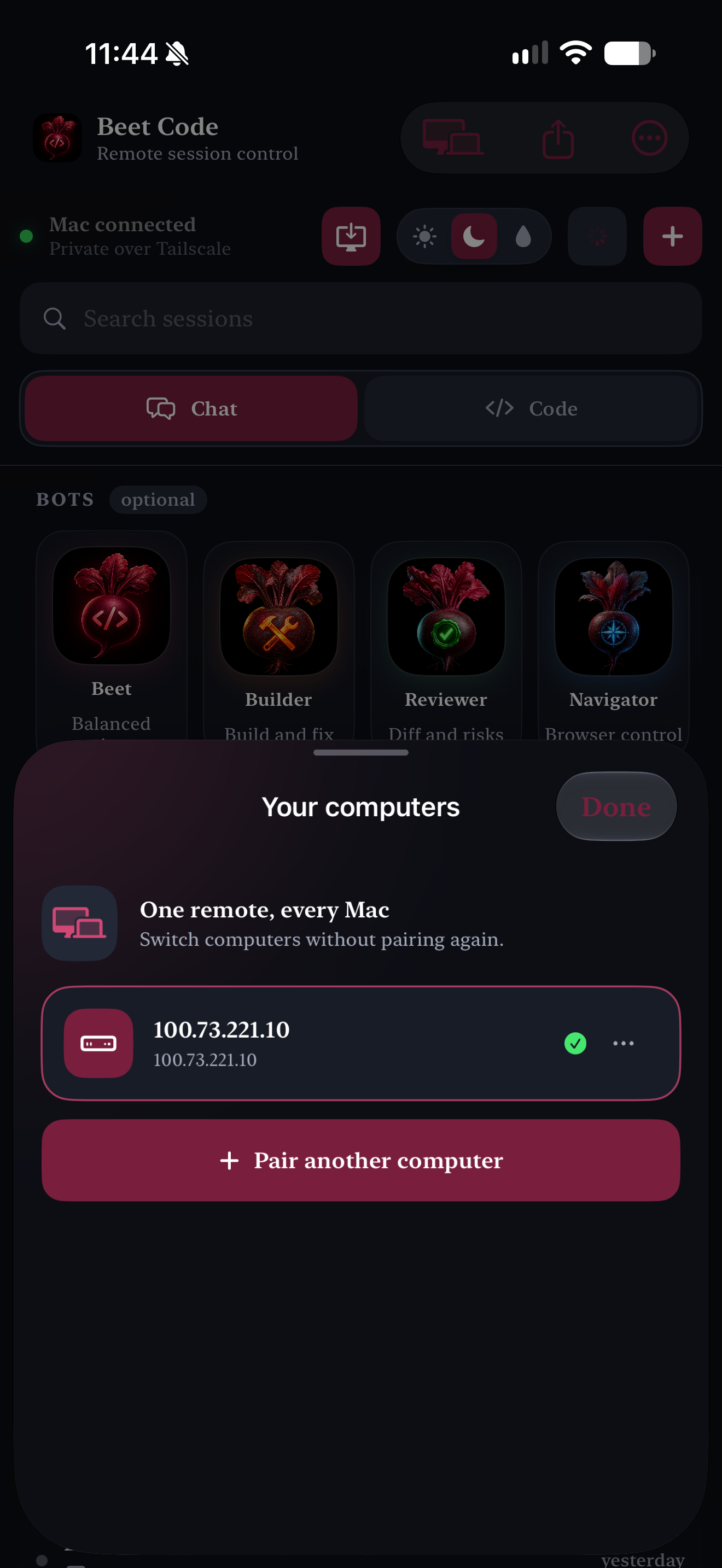
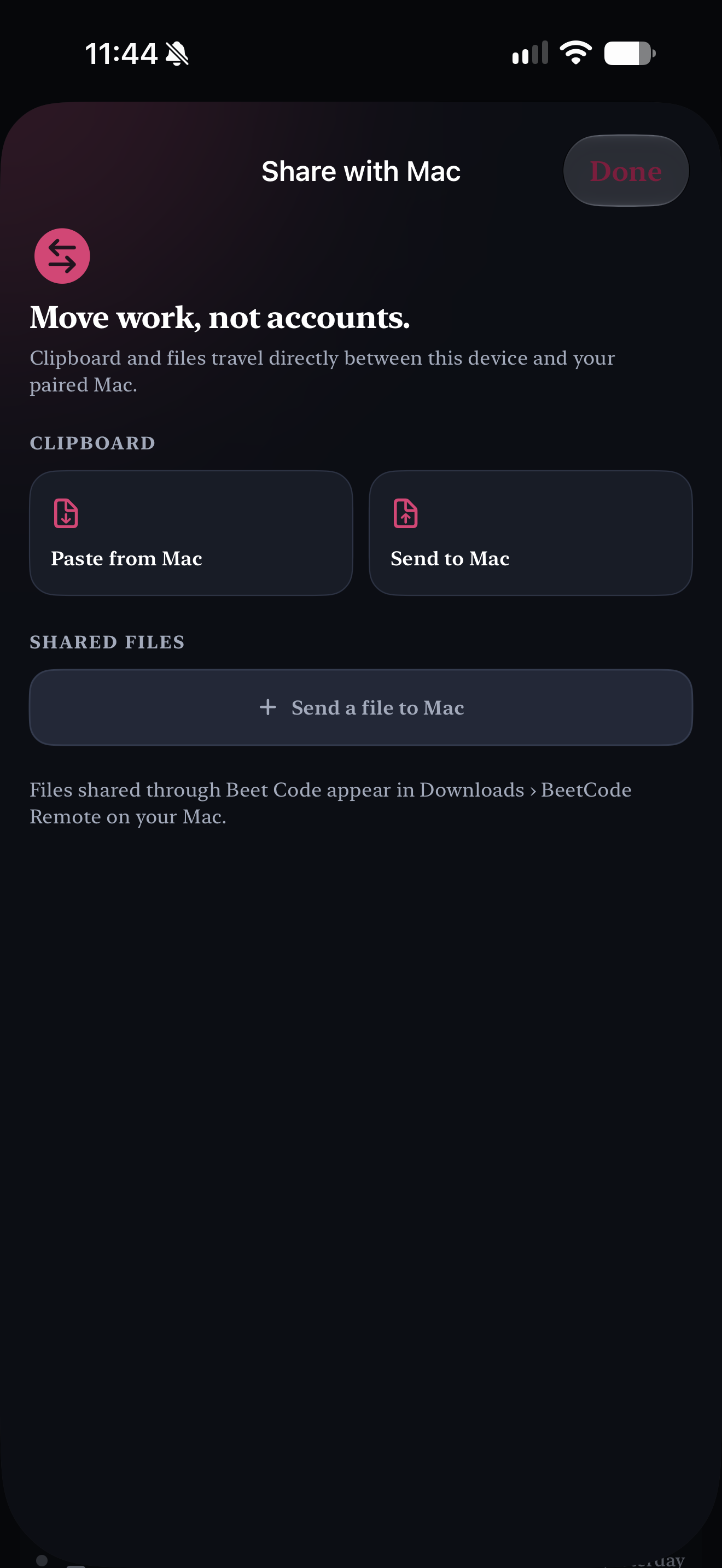
Start with a bot, browse sessions, switch computers, and move work directly to your Mac. The companion app, browser control, and native host stay part of one continuous workflow.
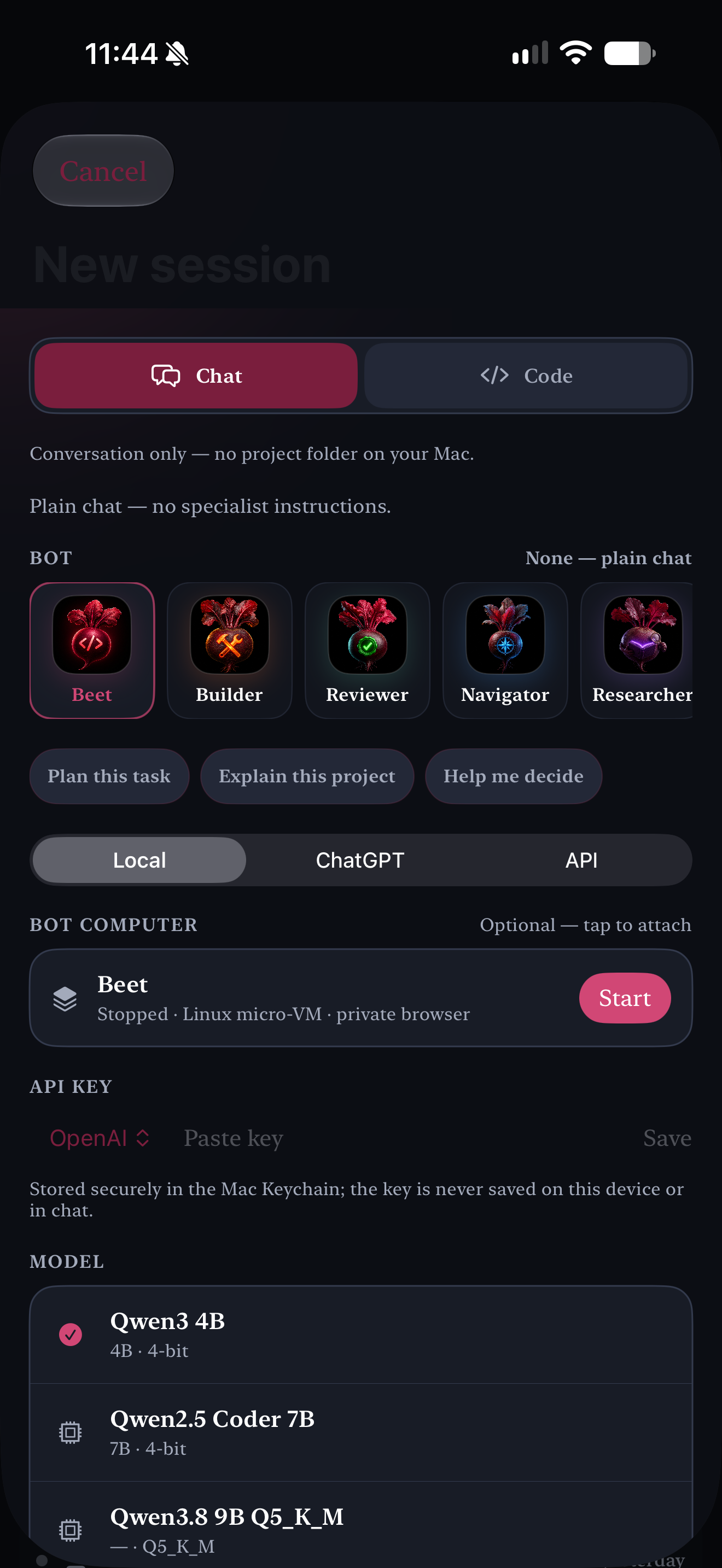
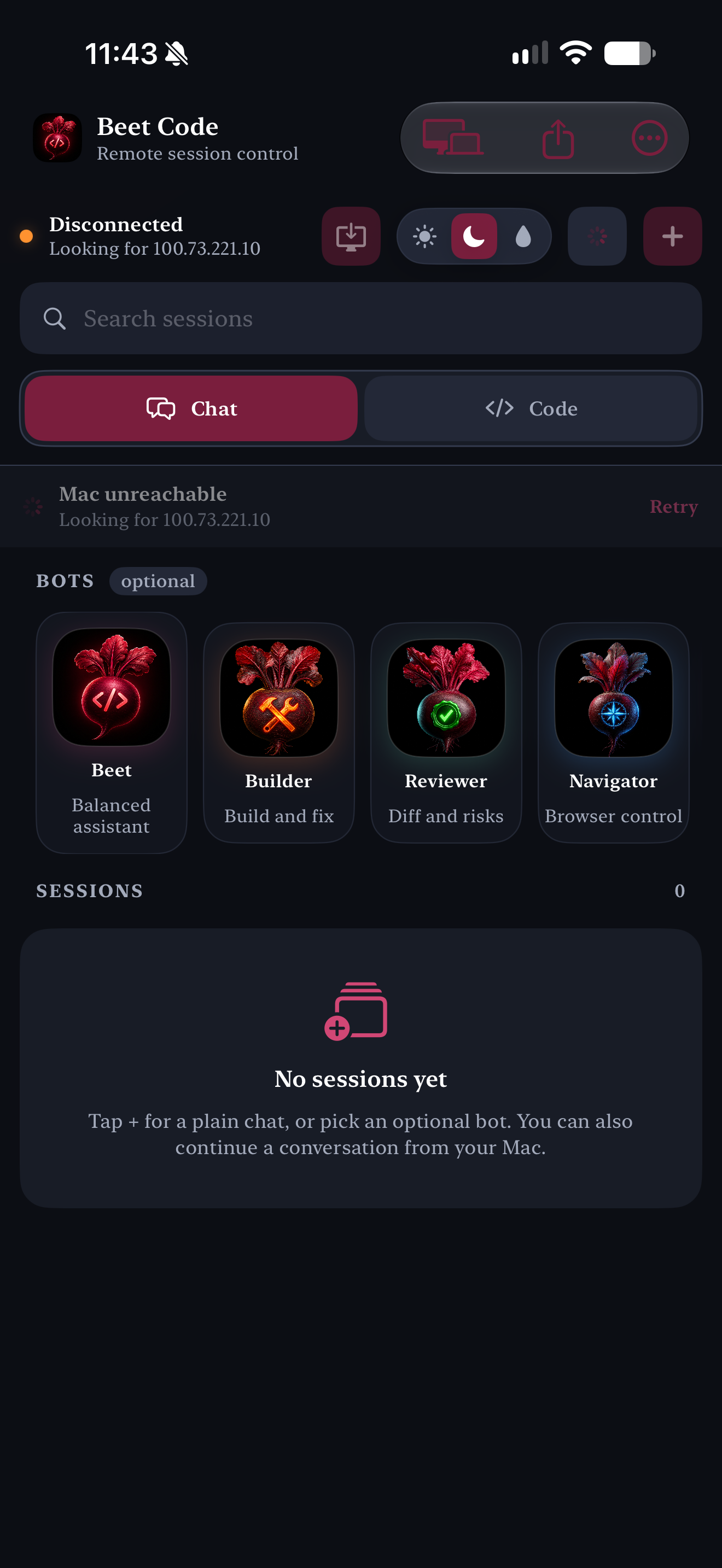
Companion surfacesbrowser control / native macOS
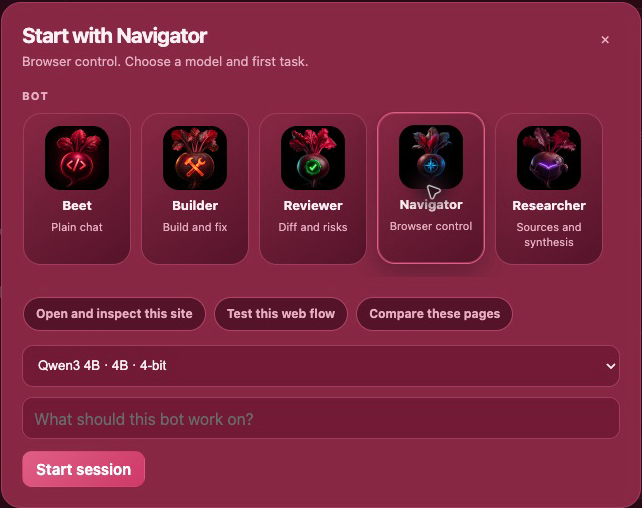
Vamp Assistant Remote browser-control setup with Navigator selected and suggested web tasks
Observe · act · verifyBrowser control
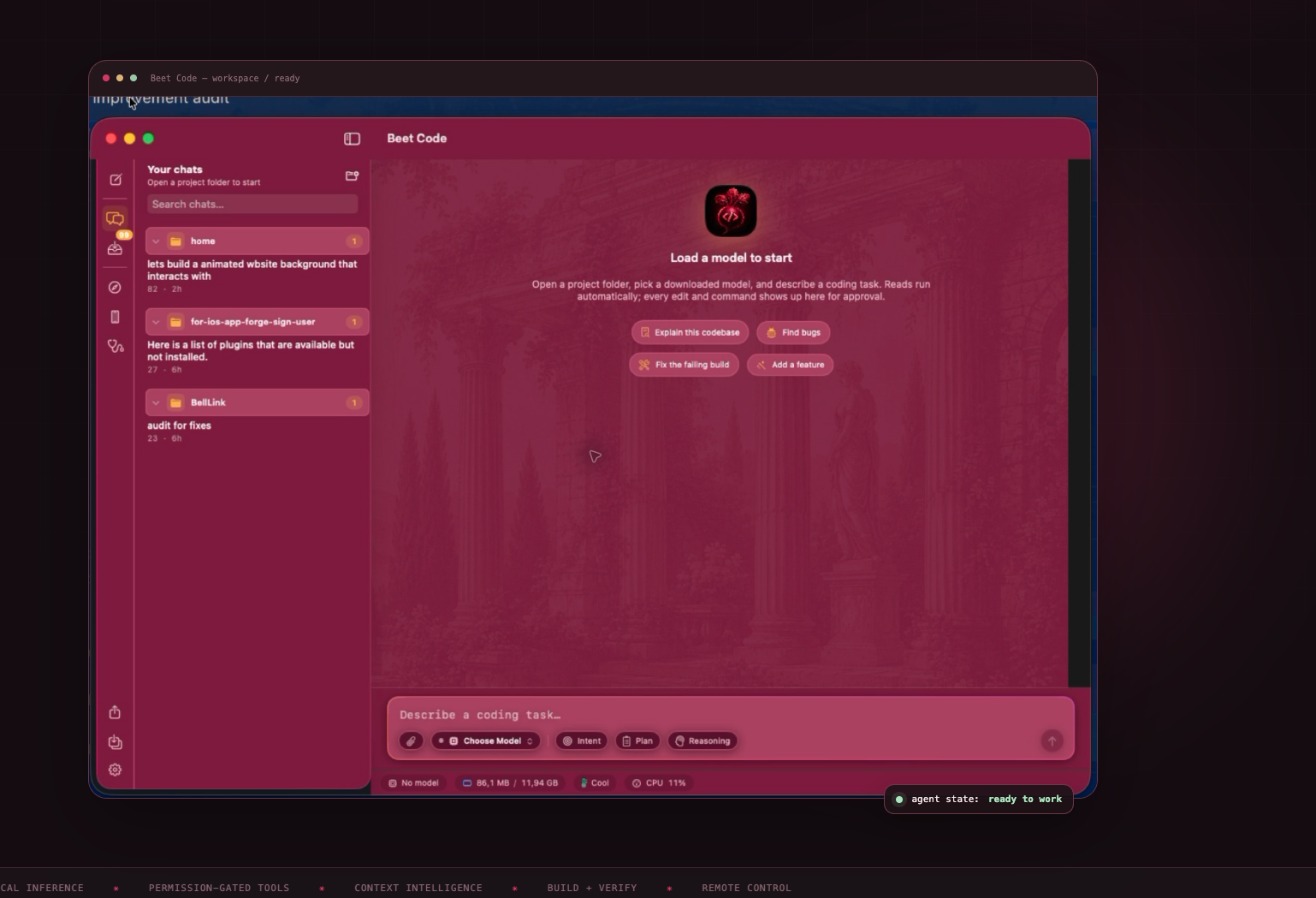
Vamp Assistant macOS workspace with chats, composer, local model controls, and the Roman garden background
Native coding workspacemacOS
iOS preview order: bot setup first, home second, then computer switching and Mac sharing. The larger panels below show the browser-control surface and native Mac host.
06 / Runtime details

Small surface.
Deep system.

A focused native app, with the important edges handled deliberately.

MacApple Silicon · macOS 15+ · native SwiftUI
InferenceCore AI · MLX in-process · GGUF / llama.cpp · OpenAI-compatible and BYOK providers
RemoteNative iPhone + iPad companion · camera QR pairing · session sync · live Mac control
SafetyPermission-gated mutations · workspace confinement · sanitized shell · encrypted sessions
Apple workflowBrowser · iOS Simulator · build diagnostics · signing · device install · App Store Connect
SourceOpen source · MIT license · model weights are never bundled
Ready when you are

Bring a project.
Keep control.

Start with a local model, connect your provider, or pair the phone that is already in your hand.