Connect a repo
Sign in with GitHub or use a token, then choose the repository, branch, technology, and hosting setup.
iPhone + iPad website manager • macOS companion available
Use SiteAgent on iPhone and iPad to inspect repositories, ask for changes, review diffs, and track deployments. Move to Website Commander on Mac when the work needs a larger canvas.
iPhone/iPad sideload release + native Mac companion · review before commit · direct provider connections
Current simulator captures
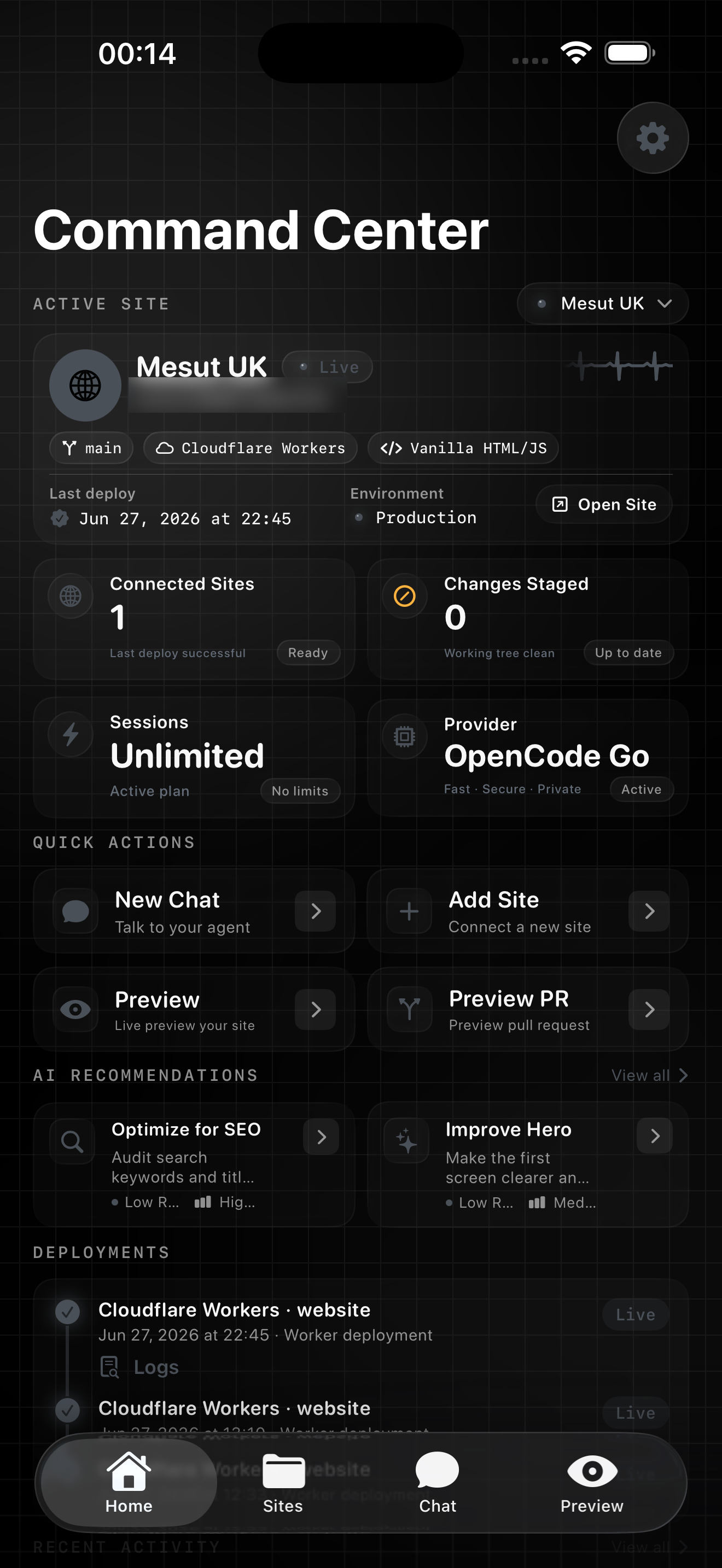
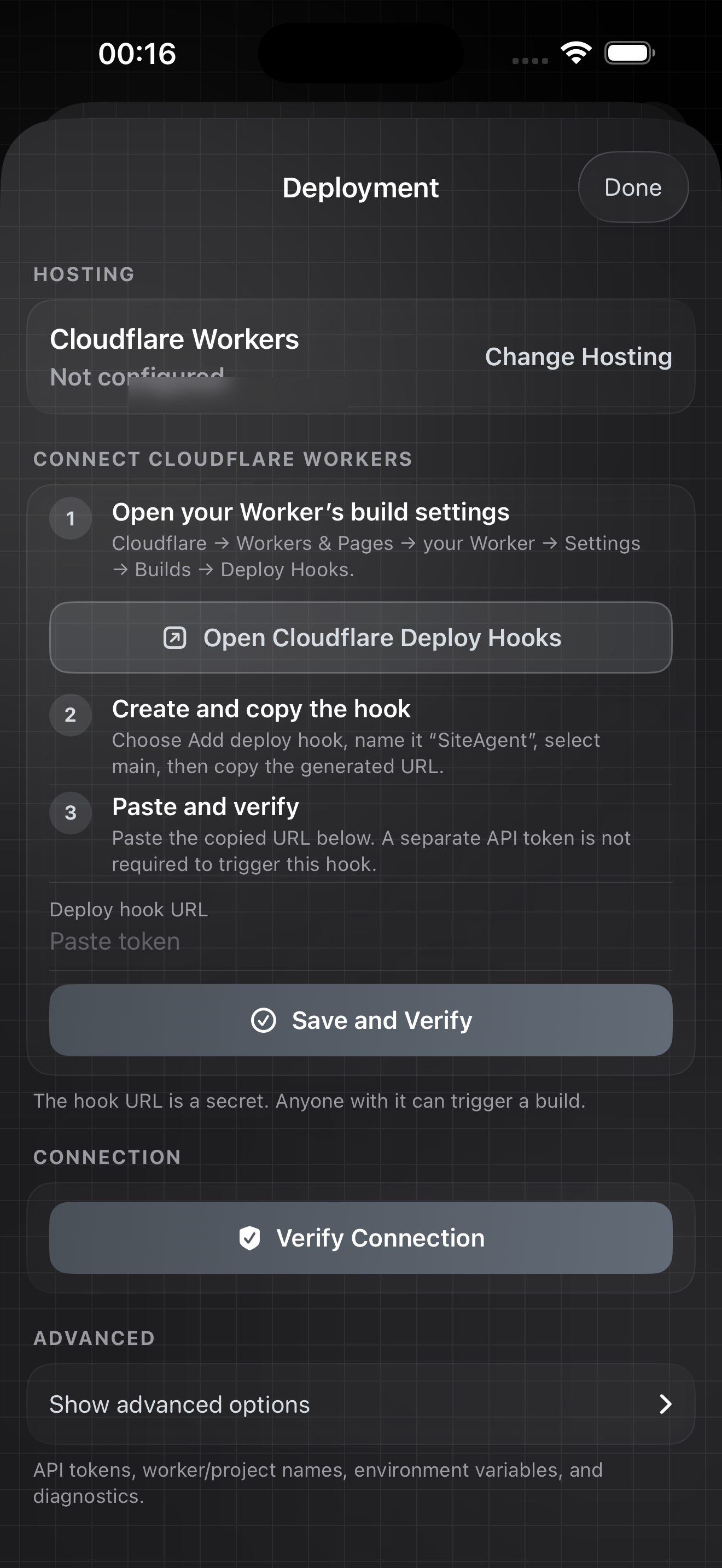
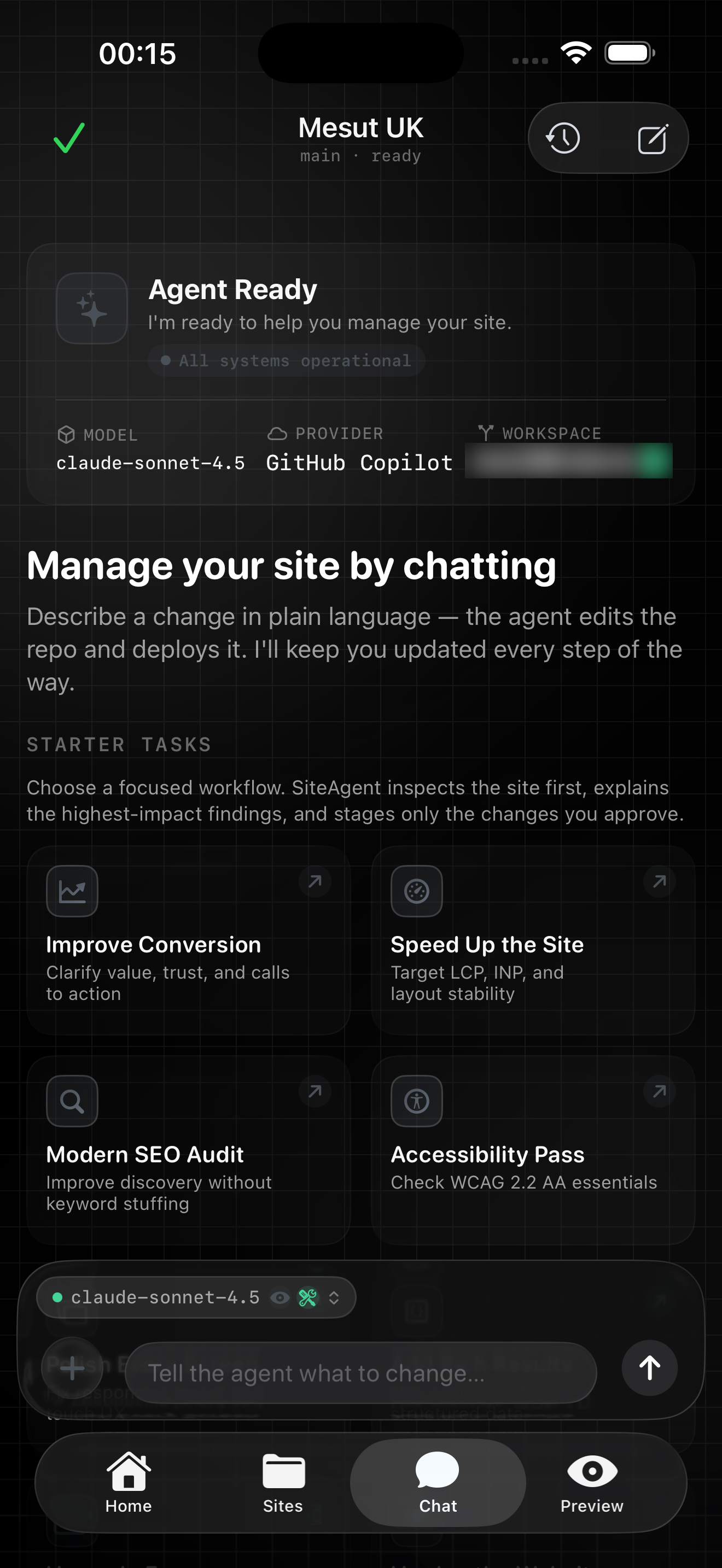
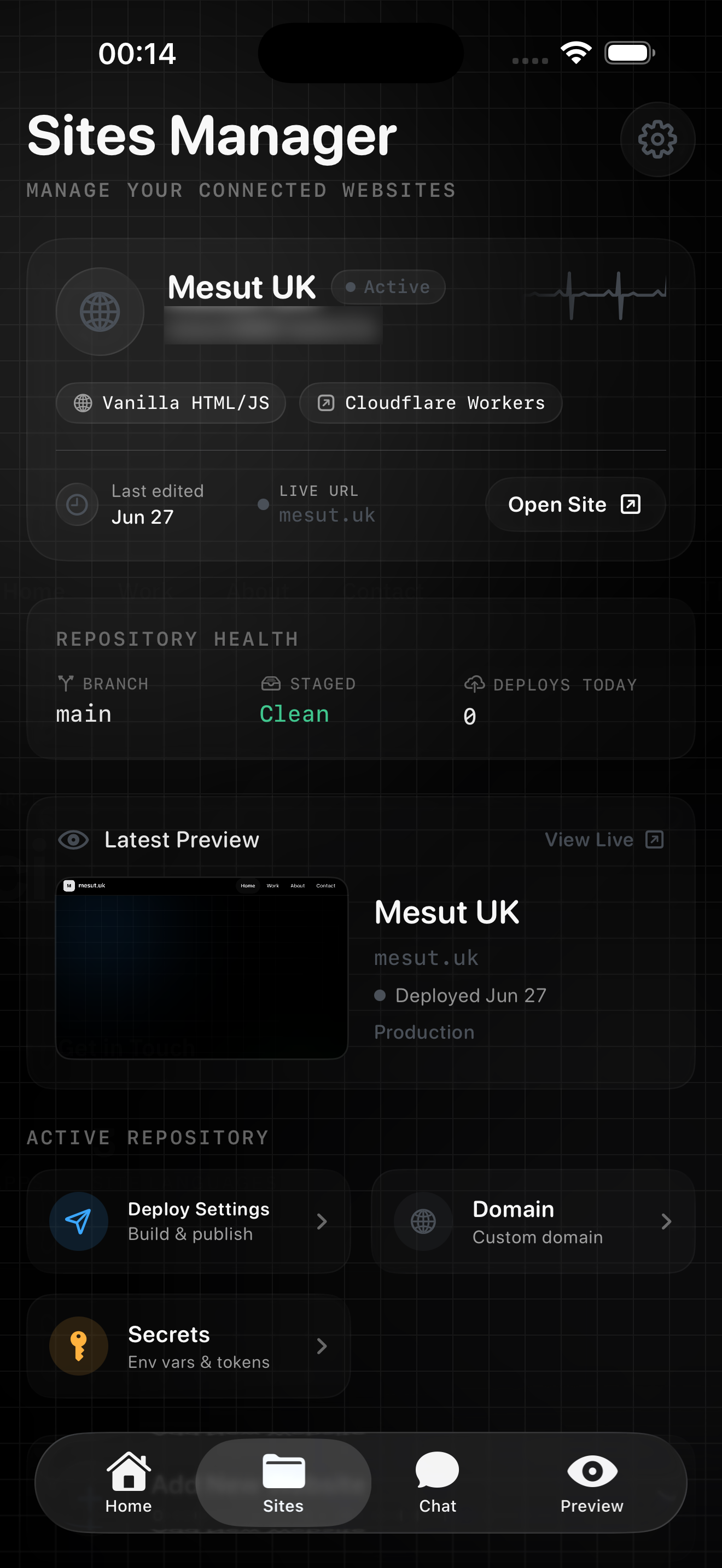
SiteAgent keeps repository state close on iPhone and iPad; Website Commander carries the same deliberate workflow onto Mac. Public site names and domains are shown; credentials and tokens are not included.
How it works
SiteAgent keeps the agent loop visible: your repository, proposed edits, preview, approval, and deployment status stay in one workspace.
Sign in with GitHub or use a token, then choose the repository, branch, technology, and hosting setup.
Use a connected cloud provider, OpenCode Go, or a compatible on-device model. Credentials stay in Keychain.
Ask in plain language. The agent can inspect files and use tools; write actions become staged changes.
Review the diff and local site preview before approving anything that reaches your branch.
Commit when ready, let the host rebuild, and inspect deployment status or logs from the workspace.
One workspace
| Surface | What it brings together | Signal |
|---|---|---|
| Command Center | Site status, sessions, recommendations, and deployment history | Ready |
| Agent Chat | Goal-oriented starter tasks with tool-capable model routing | AI Ready |
| Deployment | Hosting setup, deploy hooks, verification, and advanced controls | Connected |
| Sites Manager | Repository health, live URL, preview, secrets, and domain entry points | Up to date |
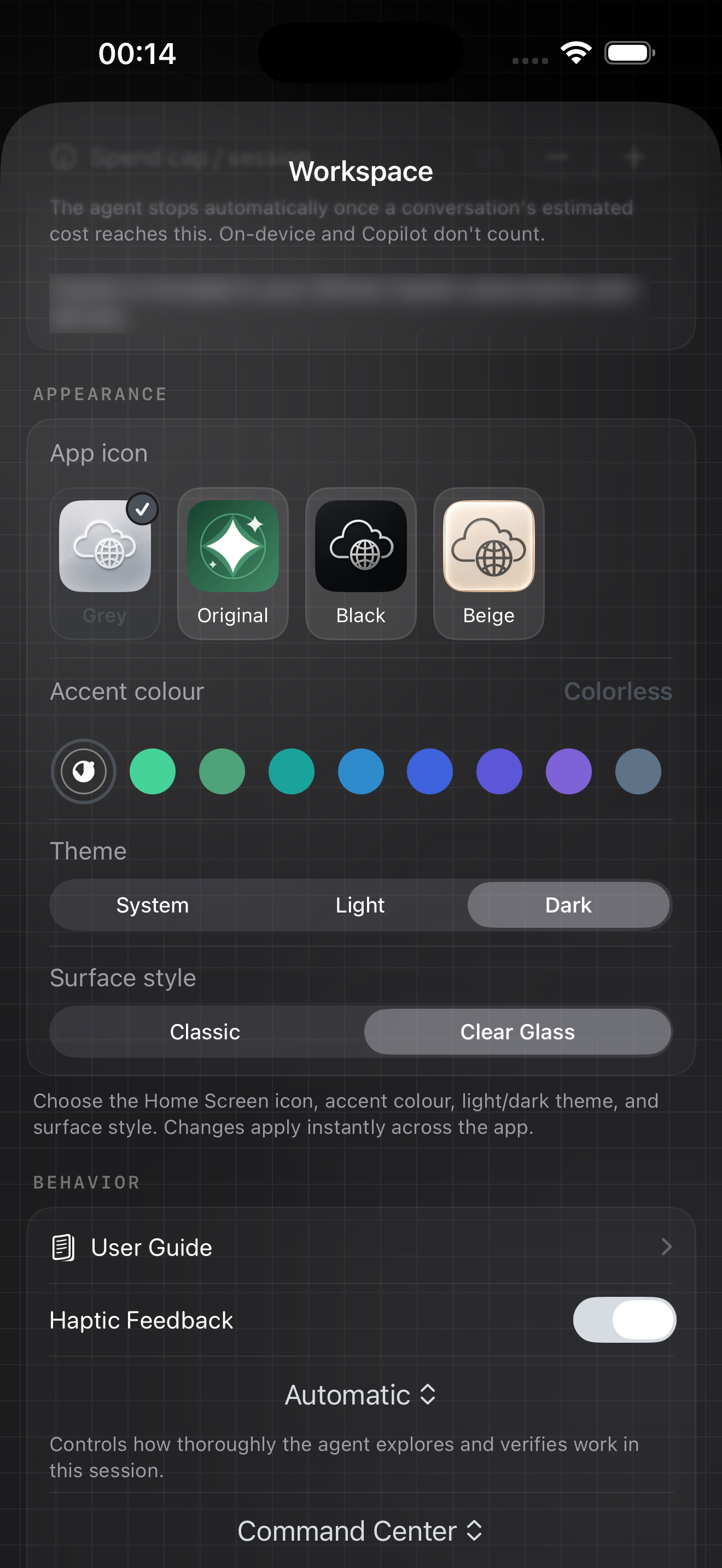
| Appearance | Colorless accent, Dark theme, and Clear Glass surface style | Selected |
Compatibility
SiteAgent is the iPhone and iPad workspace. Website Commander is the separate native macOS companion for a larger editing, diff, and preview surface.
| Area | Compatible with | Requirement |
|---|---|---|
| Devices | iPhone and iPad | iOS/iPadOS 17.0+ |
| IPA architecture | Physical arm64 iOS devices | Sideload / re-sign |
| Repositories | Public or private GitHub repositories | GitHub access |
| Cloud AI | OpenAI, Anthropic, Gemini, DeepSeek, Grok, Mistral, OpenRouter, OpenCode Go, Qwen Code, Kimi Code, LongCat, GitHub Copilot, and custom OpenAI-compatible endpoints | Bring your key or sign-in |
| On-device AI | Qwen3, Qwen3.5, and Bonsai MLX model families on supported hardware | Memory / storage dependent |
| Deployment | Cloudflare Pages, Cloudflare Workers, Vercel, Netlify, Render, Railway, AWS Amplify, GitHub Pages, and SSH/SFTP | Token or hook varies |
| macOS | Website Commander, the separate native Mac website manager | DMG download |
Cloud models use the account or API key you configure. OpenCode Go requires an OpenCode Go credential; an OpenAI platform key will not authenticate to that service. The sideload IPA is ad-hoc packaged, so your sideload tool may need to re-sign it for your device.
Choose your surface
Use the sideload IPA on iPhone or iPad, or download the native macOS companion when you want more room for diffs, previews, and repository work.
SHA-256: 02544ea19c4b1404955bd2be101701f1fa46471a471b0fdc1afc33306b0cc731
Release note. Build 6 rolls the audited iOS fixes into the public sideload release, updates provider and workspace behavior, and fixes the packaged minimum OS so the IPA correctly supports iOS 17 and later.